

9 Signs Your Business Has Been Hacked

The most common signs your business has been hacked are being locked out of your own accounts, logins from unfamiliar devices or locations, coworkers or clients receiving emails you never sent, security tools switching off on their own, and mailbox rules or user accounts you did not create. The hard part is that most of these are quiet. A modern attacker's goal is to stay hidden and move slowly, which is why the average breach goes undetected for months. IBM's 2025 Cost of a Data Breach Report put the average time to identify and contain a breach at 241 days, and that was a nine-year low. So the real question is not just "what are the signs," it is "would anyone here notice them." Below are nine to watch for, and what to do about each.
By the time a breach is obvious, the damage is usually done. These signs are worth knowing, but noticing them yourself is a backstop, not a security strategy. The businesses that catch intrusions early are the ones where something is watching around the clock.
1. You get locked out of your own accounts
If your password suddenly stops working and you did not change it, treat that as a breach until proven otherwise. Attackers who take over an account often change the password and recovery details to lock the real owner out. A single failed login can be a typo. Being locked out of email, your bank portal, or an admin console with no explanation is a red flag, especially if the "forgot password" flow says your recovery email or phone was changed.
2. There are logins from devices or places that are not yours
Sign-ins from unfamiliar locations, or from two distant places within an impossible window, are one of the clearest signals of a compromised account. Most email and cloud platforms let you review recent activity and active sessions. A login from another state or country an hour after you logged in locally is not something an employee can physically do, but a stolen password makes it trivial. Review active sessions and sign out anything you do not recognize.
3. Files are renamed, encrypted, or you find a ransom note
This is the one sign nobody misses, and by the time you see it the attacker has usually been inside for weeks. Files with strange new extensions, documents that will not open, or a text file demanding payment mean ransomware has already run. The encryption is the final act of an intrusion that began much earlier with a stolen password or an unpatched system. If you see this, disconnect affected machines from the network immediately and do not power them off before getting help, because that can destroy evidence and recovery options.
4. Machines are slow, crashing, or busy at odd hours
A computer that is suddenly sluggish, overheating, or working hard at 3 a.m. may be doing someone else's work.Compromised machines get used to scan your network, exfiltrate data, or mine cryptocurrency, all of which consume resources. On its own, a slow laptop is usually just a slow laptop. Combined with any other sign on this list, unexplained activity when nobody is working deserves a closer look.
5. Contacts get emails or messages you never sent
If clients, coworkers, or vendors ask about a message you did not send, your account or domain may be compromised. Attackers use hijacked accounts to send phishing to your contacts, because a message from a trusted sender gets opened. The tell is often a reply to a thread you were never part of, or a contact asking why you sent them a strange link or an unexpected invoice. This one damages your reputation directly, which is why it matters beyond the breach itself.
6. There are mailbox rules, forwarding, or accounts you did not set up
A hidden email-forwarding rule is one of the most common and most overlooked signs of a business email compromise. After breaking into a mailbox, attackers frequently create a rule that quietly forwards copies of incoming mail to an outside address, or that auto-deletes their own messages so you never see the replies. Check your email rules and forwarding settings. While you are there, look for user accounts, admin users, or app connections nobody remembers creating. New accounts you cannot explain are how attackers keep their way back in.
7. Your security tools turn themselves off
Antivirus that keeps disabling, alerts that stop arriving, or logging that has gone silent are often signs an attacker is clearing the way. One of the first things intruders do is try to blind the defenses: disabling endpoint protection, stopping security services, or deleting logs to cover their tracks. If a security tool will not stay on, or you simply stopped seeing the alerts you used to get, do not assume it is a glitch. Assume something turned it off on purpose until you confirm otherwise.
8. Unknown software or browser extensions appear
Programs, tools, or browser extensions you did not install can be the attacker's foothold or their remote-access channel. Watch especially for remote monitoring and management tools, the same legitimate software IT teams use, because attackers increasingly install these to blend in with normal activity rather than using obvious malware. If a new remote-access or system tool shows up on a machine and nobody on your team put it there, treat it as hostile.
9. Money or payment details move in ways you cannot explain
Changed vendor bank details, an invoice you did not send, or a payment request that feels slightly off is often the payoff stage of a breach. Business email compromise frequently ends in fraud: an attacker who has been reading your mail for weeks steps in at the right moment to redirect a wire or reroute a real payment. Any change to payment instructions, even one that looks like it came from a known contact, should be verified by phone using a number you already have, not one from the email. This sign hits title companies, accounting firms, and anyone who moves money hardest.
What to do if you see any of these
Do not investigate alone and do not tip off the attacker. A few principles help. Isolate affected devices from the network rather than shutting them down. Reset passwords from a device you know is clean, and turn on multi-factor authentication everywhere if it is not already. Preserve evidence. Do not delete anything or wipe machines before you understand the scope, because you will need that information to know what was taken. Then get expert help. Incident response is not the moment to learn on the job.
The most dangerous sign is no sign at all
Here is the uncomfortable truth running through this whole list: the best attackers do not trip any of these alarms. They stay quiet, move slowly, and rely on the fact that at most businesses, nobody is watching the logs, the sessions, or the mailbox rules closely enough to notice. Recognizing these signs yourself is a valuable backstop. It is not detection. Detection is when something is watching everything, all the time, and raises the alarm in the first hour instead of the hundredth day.
Most businesses can't afford a security team. Dark Sentinel gives them one.
Book a Free Security Strategy Session. We will help you understand what is normal for your environment, so the abnormal stands out. No pressure, no obligation.
IN THE DARK, WE STAND WATCH

Frequently Asked Questions
How do I know if my business has been hacked? Watch for being locked out of accounts, logins from unfamiliar devices or locations, contacts receiving messages you did not send, security tools turning off, mailbox forwarding rules or user accounts you did not create, and unexplained changes to payment details. Many intrusions are quiet, so the absence of obvious signs does not mean you are safe.
How long do hackers stay undetected? On average, a long time. IBM's 2025 report found it took organizations 241 days on average to identify and contain a breach. Attackers deliberately stay hidden to steal data or prepare a ransomware attack.
What should I do first if I think I have been hacked? Isolate affected devices from the network without powering them off, reset passwords from a known-clean device, enable multi-factor authentication, preserve evidence, and get expert incident response help. Do not investigate in a way that alerts the attacker.
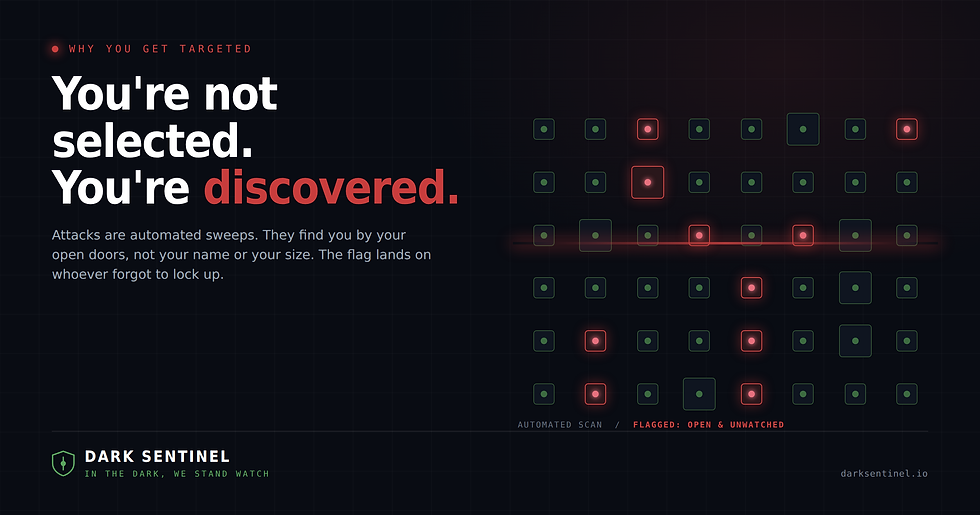
Can a small business really be a target? Yes. Businesses without a dedicated security team are targeted precisely because they are less likely to notice an intrusion. Attackers act opportunistically wherever defenses are thin.
What is a mailbox forwarding rule and why does it matter? It is a setting that automatically sends copies of your email somewhere else. Attackers create hidden ones to quietly read your mail after a break-in, which is a common step in invoice and wire fraud. Checking your email rules is one of the fastest ways to spot a compromise.


Comments